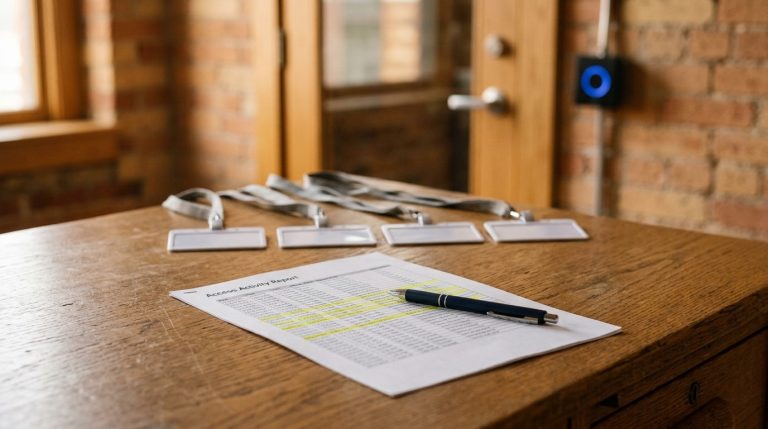
Walk enough Atlanta buildings and you start finding the same drawer. A stack of access cards in a desk, worn soft at the edges, and nobody in the room can tell you whose they are. Some belong to people who left last year. A few still open the back door. The system works exactly as designed, and that is the problem. It still opens for any card nobody ever told it to forget.
So when an owner asks me whether key cards are dead and whether everyone is moving to the phone, I understand the question behind the question. They have read that cards can be copied, and they are wondering if they are one bad afternoon away from a break-in. Here is the honest answer. No, key cards are not dead. Cards are still the most common way people get through a commercial door, and the good ones are hard to beat. What is dead, or should be, is the unmanaged card: the cheap old credential nobody can track and nobody turned off.
I have designed, installed, and serviced commercial access control across metro Atlanta since I founded Verified Security in 2007. Let me sort it the way I would on a walk through your building: what is actually wrong with the old cards, what a phone credential really does, where the industry is headed, and the one thing that matters more than any of it. I will also tell you when your system is fine and you do not need to spend a dollar.
The short version. Key cards are not dead, but old unencrypted ones are a real risk, and a smartphone credential is harder to copy because it lives in the phone’s secure chip instead of broadcasting a static number. The bigger issue is not the credential type at all. It is the badge belonging to someone who left that still opens the door. Fix that first, with modern credentials and cloud access control that can revoke a person in seconds and prove who went where.
So, Are Key Cards Dead? No, but the Cheap Old Ones Are the Problem.
The trouble is not cards. It is a specific, aging kind of card that is still everywhere. The classic white proximity card, the 125 kHz kind clipped to badges all over Atlanta, broadcasts a static number in the clear. Independent testers at IPVM showed just how thin that is: with a copier that costs about $30, they cloned card after card in under five seconds each, and the copies were indistinguishable from the originals. The older smart card standard, MIFARE Classic, is not much better. Its encryption was broken by university researchers back in 2008, and in 2024 researchers found a hardware backdoor in a batch of cheap MIFARE-compatible chips used in hotels and offices. None of that is fearmongering. It is just old technology doing what old technology does.
Now the other half of the story, because this is where the scary headlines mislead people. Modern encrypted credentials are not in that boat. A current smart card like MIFARE DESFire EV3 uses strong AES-128 encryption and is independently certified to a high security level. It is not a static number waiting to be copied off a park bench. So the real question is not cards versus phones. It is old versus modern. And a lot of Atlanta businesses are still on old: in one 2024 industry survey, about a third of organizations were still running those 125 kHz proximity cards. If you want the full rundown of credential types, I wrote an earlier post on choosing the right credential. This one is about what to do next.
What a Mobile Credential Actually Is, and Why It Is Harder to Steal
A mobile credential turns the phone already in your employee’s pocket into their key. It sounds like a gimmick until you look at how it is built. Instead of a fixed number printed on a card, the credential lives inside the phone’s secure chip, where the keys, by design, never leave the device. There is no static code sitting on the outside for a $30 copier to grab. That is a genuinely higher bar than an old prox card, and it works on both iOS and Android.
Let me be precise about the security, because the sales pitch usually overshoots. You will hear that a lost phone is useless to a thief. That is true only if it is set up that way. Some phones are configured to open a door without unlocking first, for speed, which trades away exactly the protection people are counting on. Set up right, the credential requires the phone to be unlocked with a face or a fingerprint, and a lost phone can be wiped and its credential killed from a dashboard in seconds. There are real limits, too. A dead battery is a dead key, not everyone wants a work credential on a personal phone, and your readers have to be new enough to talk to a phone in the first place. Which is why, for most buildings, the answer is not all cards or all phones.
The Wire Behind the Reader Matters as Much as the Card
Here is the part almost nobody explains to a buyer, and it is the difference between a system that looks secure and one that is. You can put the best encrypted card or the smartest phone credential on the front of the door, and it can still be undone by the wire behind the reader. For roughly thirty years, most readers have talked to the controller over a protocol called Wiegand. It sends its data unencrypted. Someone who can reach that cable can quietly tap it and read the credential as it crosses the wire. Your encrypted card never gets a vote.
The fix is a newer wiring standard called OSDP, the Open Supervised Device Protocol, backed by the Security Industry Association and adopted internationally as IEC 60839-11-5. In its secure mode it encrypts the link between reader and controller and constantly watches the wire, so a tap or a cut shows up instead of going unnoticed. I am not trying to scare you. I am trying to be thorough. Securing the credential without securing the wire is like putting a deadbolt on a screen door. When we design a door access control system, the wire is part of the conversation, not an afterthought.
Where This Is Headed: One Standard for Every Door
If you have lived through the smart home, you know the pain of a gadget that only works with one brand’s app. Access control has had the same problem, and it is finally getting fixed. The same industry group behind Matter, the standard that made smart-home devices finally play together, has built one for access. It is called Aliro, and its goal is simple: a phone or watch credential that works across reader brands instead of locking you into one vendor forever. It was announced in November 2023, with Apple, Google, Samsung, and the big lock makers behind it, and the finished 1.0 specification only arrived in February 2026. So it is brand new, worth watching, and not yet something to rip out your building for.
You can already see the direction, though. Your building key is starting to live in the same phone wallet as your credit cards, whether that is an employee badge in Apple Wallet or its Android equivalent, provisioned to the phone over the air with no card to print. None of this makes the mobile credential you could buy today unsafe. It just means the walls between systems are coming down, and that is good news for a business that does not want to be trapped with one brand.
The Real Risk Isn’t the Card. It’s the Credential Nobody Turned Off.
Now the thing I actually lose sleep over, and it has nothing to do with cloning. It is the credential that should have been switched off and was not. Think about the person who quit or was let go last quarter. Is their badge still live? It is one of the first things I check on an access audit, and I rarely come up empty. In one 2022 survey, 83 percent of people said they could still get into a former employer’s accounts after leaving, and more than half admitted using that access. That study was about computer logins, but the exact same gap shows up on the door, and it is quieter there because a badge does not send a password-reset email. It just keeps working.
This is why credential type is the smaller question and management is the bigger one. Even federal security guidance treats it as basic: when someone should no longer have access, you have to be able to revoke it promptly, not eventually. Old-style systems make that hard, because access lives in a box in a closet that someone has to drive out and reprogram. Cloud-based access control changes that. From one screen you can grant or revoke a person in seconds, tie it to your HR list so a departure flips access off automatically, and pull an audit trail of exactly who opened which door and when. That is the same convenience many of our customers already lean on for remote access to their systems. A card you can kill in ten seconds is worth more than the fanciest credential you cannot.
You Probably Don’t Need to Rip Everything Out
The fear I hear most is that fixing this means tearing out every reader and starting over. Usually it does not. Modern readers are multi-technology, which means one reader can accept an encrypted card and a phone at the same time. That lets you upgrade the readers first and migrate people over gradually, keep cards on hand for visitors and contractors who should never be in your system permanently, and phase out the old 125 kHz prox on your own schedule. What it costs is a quote, not a sticker price, because it depends on how many doors you have, how old your readers are, and whether you want cloud management. And if you are already on encrypted credentials with cloud control and a clean list of who has access, you may not need to change a thing, and I will tell you that rather than sell you a project. Some of this is a real upgrade, and some of it is a fifteen-minute cleanup of your access list.
If You’re Weighing Mobile Access, Here’s the Order I’d Put It In
- Find out what you are actually running. Pull a list of every active credential and check your readers. If you are on 125 kHz proximity cards, that is the first thing to fix, and it is the cheapest win on this list.
- Move to modern credentials on multi-technology readers. Encrypted cards, phones, or both. The readers accept everything, so you migrate people gradually instead of all at once.
- Secure the whole chain, not just the card. Ask whether your readers talk to the controller over OSDP. An encrypted credential over old Wiegand wiring is only half a fix.
- Get on cloud access control so you can manage the lifecycle. Instant revoke, an audit trail, and access tied to your HR list. Keep a few cards for visitors and contractors.
- Ask the one question. If I let someone go this afternoon, how fast is their access gone, and can I prove where they have been? If the answer is a shrug, you have found your gap.
Frequently Asked Questions
Can phones replace key cards for building access?
For many businesses, yes. A mobile credential turns the smartphone an employee already carries into their key, and it is harder to copy than an old proximity card because it uses fresh cryptography instead of a static number. But it is rarely all or nothing. Dead batteries, employees without smartphones, and visitors who need a temporary pass mean most buildings run cards and phones side by side.
What happens to building access when an employee leaves?
That depends entirely on your system, and it is the most important question on this page. With old on-site systems, a former employee’s badge often keeps working until someone manually reprograms the panel. With cloud-based access control, you can revoke that person in seconds from any device, tie it to your HR records so departures switch off access automatically, and pull an audit trail showing every door they opened.
Can I use both key cards and mobile credentials on the same system?
Yes. Modern readers are multi-technology, so a single reader can accept an encrypted card and a phone credential at the same time. That is exactly how most businesses should migrate: upgrade the readers first, move people to mobile at their own pace, and keep cards on hand for visitors and contractors. You do not have to choose one credential type for the whole building.
What does mobile or cloud access control cost per door?
It depends on your door count, how old your readers are, the lock hardware on each door, and whether you want cloud management with a subscription, so there is no honest sticker price. One real difference to know: going mobile ends the recurring cost of printing and replacing plastic cards, though it adds a software subscription, so it is not automatically cheaper. The way to get a real number is a walk-through and a quote on your own building.
What is OSDP, and why does it matter for access control?
OSDP, the Open Supervised Device Protocol, is the modern wiring standard between a card reader and the controller behind it, and it is meant to replace the decades-old Wiegand wiring most systems still run on. In its secure mode it encrypts that link and watches the wire, so a tap or a cut shows up instead of going unnoticed. It matters because even a strong credential is only as secure as the wire carrying it.
What is Aliro, and can I use it yet?
Aliro is a new industry standard, from the same group behind the smart-home standard Matter, meant to let one phone or watch credential work across different reader brands instead of locking you into one vendor. It was announced in November 2023, and the finished specification arrived in February 2026. It is brand new, so it is worth watching, but it is not a reason to replace your system today.
Not Sure Who Can Still Get Into Your Building? Let’s Find Out.
If you cannot say for certain which credentials are active or whose they are, contact us and we will review your current access control. We will tell you whether your credentials are modern or dangerously old, whether a former employee’s badge could still open a door, and whether mobile makes sense for your building or your system is already in good shape. If it is, we will say so and you are done. We have protected Atlanta businesses since 2007, and we would rather find the open door in a review than after someone walks through it. Reach my team at 678-924-7480.