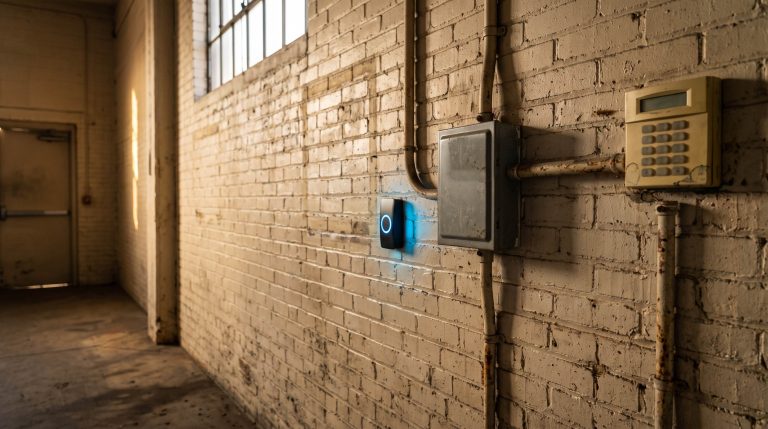
Most of what I get asked about access control is not about locks. It is about letting somebody in.
A cleaning crew starts Monday. A refrigeration tech is coming Saturday at six in the morning. A remodel puts four trades in the building for five weeks. Every one of them has to get through a locked door, do work you are paying for, and go home. Most buildings have no clean way to make that happen, so they improvise. Somebody hands over a fob “just for this job.” Somebody reads the alarm code out over the phone. Somebody props the back door at 5:45 and means to go back for it. Then the work ends, and none of it gets undone.
Vendor access is not a special case. The cleaning crew, the refrigeration tech, and the extinguisher company are part of how a commercial building runs, the same as deliveries and utilities, and getting them through the door deserves to be designed rather than improvised. The trouble is that most buildings have two settings, wide open and locked, and neither one fits somebody who needs the loading dock for three hours on a Tuesday.
I have designed, installed, and serviced access control systems across metro Atlanta since I founded Verified Security in 2007. Let me sort this the way I would on a walk through your building.
The short version. You do not manage temporary workers. You manage credentials, and the fix is an end date. Commercial access systems can issue a credential that starts on a date, stops on a date, works only during certain hours, and opens only certain doors. Most buildings never turn that on. Turn it on and your vendor gets in without a phone call, and the access closes itself when the job is finished.
What It Costs When There Is No Way In
The price of having no way to let somebody in gets paid in windshield time, and it is bigger than owners expect.
The crew arrives before anyone with a key. A manager drives twenty minutes across town on a Saturday to open a door and twenty minutes back. A technician bills a trip charge for a visit where he never got past the lobby. A five-week remodel runs on somebody being available every morning at six. Multiply that across a year of vendors and you have paid for a real access control system in mileage alone.
So people improvise, and every improvised solution gets invented by whoever is standing at the door at 5:45 in the morning. That is the worst possible place for a building decision to get made. The propped door is still the fastest way to undo an entire system, which is why the panels we install can sound an alarm when a door is held open too long. The shared alarm code and the loaner fob are quieter versions of the same thing. They work fine right up until something changes: a contract ends, a crew rotates, a code gets passed along to somebody you have never met. Then there is no way to undo one piece of it without changing everything for everybody.
That is a design problem, and it has a setting.
Access With an End Date
Here is the whole idea. A temporary worker should get a temporary credential. Not a permanent credential somebody remembers to delete later. A credential born with an expiration date on it.
Every commercial access platform I work with can do four things at once: turn a credential on at a date and time, turn it off at a date and time, limit it to a window of hours, and limit it to a specific set of doors. The janitorial crew gets the service entrance and the common areas, Monday through Friday, seven at night to midnight, from the first of the month through the end of the contract term. Nothing else, and nothing after.
This is not an exotic idea somebody invented for 2026. The payment card industry wrote it down years ago and has audited against it ever since. Its standard defines a visitor as “a vendor, guest of any personnel, service worker, or personnel that normally do not have access to the subject area,” which is our population, in their words, in a compliance definition. And the standard requires that those people be authorized before entering and given “a badge or other identification that expires,” then “surrendered or deactivated before visitors leave the facility or at the date of expiration.”
Notice what that rule actually asks for. Not a procedure anybody has to remember. A credential that ends by itself, on a date somebody chose back when they had time to think about it.
Set it this way: every credential issued to somebody who does not work for you gets an expiration date the moment it is created, matched to the contract, the work order, or the day. If your system makes you type an end date every time, that is a feature.
Scope the Credential to the Job
That same standard says visitors are to be “escorted at all times” inside the area where card data lives. Correct for a server room. It is not going to happen for a four-person cleaning crew working a 40,000 square foot building for six hours, and anyone who says otherwise has never run a building.
So do the thing that scales. Instead of assigning a person to the visit, assign the doors to the job. The credential opens what the work requires, during the hours the work happens. Once the everyday work is scoped that way, the short list of rooms that genuinely need somebody walking along gets small enough to be realistic: the server closet, the safe room, the records room, the cash office.
There is a second benefit owners tend to discover later. A door group is a written description of a job. Once “Janitorial” means the service entrance and the common areas from seven to midnight, you have documented what you are buying, and the next renewal, the next vendor change, and the next conversation about what is in scope all get considerably shorter.
Set it this way: build a door group per vendor type, not per person. Janitorial. HVAC. Landscaping. Then adding next month’s new crew member is a thirty-second job instead of a decision.
The Record Is How You Know the Work Happened
Here is the part owners underuse. Your access system is already keeping a record, and it answers a question you are probably asking somebody else.
Did the crew come Thursday? Your janitorial contract says five nights a week. The log says the service entrance opened at 7:04 and closed at 10:22, five nights running. That is your invoice matching your service, and it settles in a minute what an email thread takes a week to settle.
It cuts in the vendor’s favor just as often, which is the part I like about it. When a technician says he was on site Tuesday evening and somebody in accounting is not certain, the record says he was. Vendors get paid faster when a building can confirm a visit without anybody’s memory being involved, and a vendor who gets paid without an argument answers your call first next time.
None of that works if a whole crew shares one code. A shared code tells you a code was used. It cannot tell you the crew came Thursday, and it cannot back up the technician who did show up.
Regulators arrived at the same practice from the compliance side. The payment card standard asks for a visitor log carrying the name and organization, the date and time, and who authorized the access, retained at least three months. The federal health privacy rule gets there from another direction: among the safeguards covered organizations must evaluate and implement where reasonable and appropriate are procedures to “control and validate a person’s access to facilities based on their role or function, including visitor control.” If you run a medical practice, a dental office, or a billing operation, that sentence is about your building.
If your access system is issuing credentials, you already have that log. It builds itself.
Set it this way: one credential, one person, one name in the system, including for the vendor’s staff. If a vendor sends a substitute, the substitute gets his own credential, not his coworker’s.
If the Fire Alarm Goes Off at Nine, Who Is Inside?
This is the argument that usually lands, and it is the one I care most about.
Where an OSHA emergency action plan is required, the standard lists what it must contain, and one item is “procedures to account for all employees after evacuation.” OSHA’s own guidance describes the practice: designating people to sweep offices and restrooms on the way out, and conducting a roll call in the assembly area.
Now read your plan back with your evening in mind. The standard says employees. Your building at nine at night holds four people who are not your employees, whose names are not on your roll call sheet, and who may not know where the assembly area is. That is not a citation waiting to happen. It is a plan that will not work on the night you need it, and the people it lets down are the ones who were working after hours so you did not have to.
An access control system is not an evacuation plan and I will not pretend otherwise. What it gives you is the one fact the plan is missing: a live list of who badged in and has not badged out. That takes ten seconds to pull, and I would rather hand a battalion chief a list than a guess. It only works if people badge individually instead of following each other through a propped door, which is one more reason the boring version matters.
Set it this way: name the vendors who work after hours, put their crews on individual credentials, and make sure whoever owns your emergency plan can pull an in-building report on a phone at nine at night. Then tell the crews where the assembly point is. That part is free, and it is the single kindest thing on this page.
The Credential Nobody Turned Off
Now the thing I find most often on a takeover. It is paperwork.
Contracts end. The landscaping company gets replaced. The janitorial firm is acquired and every face changes. The remodel finishes. In almost none of those cases does anybody tell the person who administers the door system, because that person sits in a different department and was never part of the vendor conversation. So the credentials keep working. I have walked into buildings and found active credentials belonging to companies that had not serviced the property in years.
The payment card standard says it in one line, and it names the object: “All physical access mechanisms, such as keys, access cards, etc., are returned or disabled upon termination.” That line is written about your own staff. Nobody wrote the vendor version of it, which is exactly why the vendor version goes unnoticed for years.
Note what sits in that list beside the cards. Keys. A key is this problem with no off switch. You cannot expire one, you cannot audit one, and the only way to retire a key you did not get back is to rekey the cylinder and reissue to everybody who was using it legitimately. That is the biggest practical difference between a lock and a credential.
Set it this way: twice a year, print every active credential and read the list out loud with whoever owns the vendor contracts. Anything neither of you can name gets turned off that day. I covered the employee side of this in my post on mobile access credentials. The vendor side is worse, because at least an employee’s last day shows up in payroll.
The Twenty-Minute Visit Does Not Need a Credential
Issuing a credential for a single delivery is how a system gets cluttered. For the one-off, the better tool is a door you can open from wherever you are.
Somebody arrives, you see them on camera, you talk to them, you release the door for that visit, and it locks behind them. No credential ever existed, so there is nothing to remember to delete. Modern systems handle this from a phone, and the camera at the door is what turns it into a conversation instead of a guessing game. Same principle as verified alarm response, which is where our name comes from: confirm first, then act.
Two honest limits. Remote unlock is only as good as the camera view at that door, and a doorbell nobody answers is worse than a lockbox. If the visit is unattended or after hours, put it back on a scoped, expiring credential where it belongs.
What I’d Turn On This Week
- Print the list of everyone who can currently open a door. Every credential, every alarm user code, every key you have issued. This is an afternoon, and almost nobody has done it.
- Reconcile the list against your vendor contracts. Work it with whoever owns those agreements. Anything neither of you can account for gets turned off today. Nothing breaks that should not break.
- Build a door group for each vendor type. Janitorial, HVAC, landscaping, delivery. Doors and hours defined once, so issuing the next credential takes thirty seconds.
- Put an end date on every credential you issue from now on. Match the contract term or the work order. This is the habit that keeps the list from growing back.
- Give after-hours crews individual credentials, and tell them where the assembly point is. That is what turns your access system into something your emergency plan can use.
Frequently Asked Questions
How do I give a contractor access to my building without handing over a key?
Issue a temporary credential from your access control system. A commercial system can create one that activates on a set date, expires on a set date, works only during certain hours, and opens only the doors that job requires. Unlike a key, it can be issued or retired in seconds from a computer or a phone, and it leaves a record of when the work happened.
Should a cleaning crew have their own access credentials?
Yes, individually rather than as a shared code. Individual credentials confirm that the crew came Thursday and back up a technician’s visit when an invoice is questioned, which a shared code cannot do. They also let you add or retire one person when a crew rotates, instead of changing a code for everybody and reissuing it.
How long should a temporary access credential last?
Match it to the work rather than the calendar. A one-day service visit gets one day. A five-week remodel gets five weeks. An ongoing janitorial contract gets the contract term and renews when the contract does. What matters is that the end date exists when the credential is created, instead of depending on somebody remembering later.
Does my business need a visitor log?
If you handle payment card data or protected health information, some form of visitor control is already expected of you. The payment card standard asks for a log with the visitor’s name and organization, the date and time, who authorized the access, and retention of at least three months. If you issue credentials through an access control system, that log largely builds itself.
What happens if a vendor’s credential is never turned off?
It keeps working, often for years, and nobody notices until somebody audits the list. This is a common finding when we take over an existing system: active credentials belonging to companies that stopped servicing the building long ago. It is a paperwork failure rather than a technical one, and an expiration date set at issue prevents it entirely.
Let’s See What Your System Already Does
Most buildings I walk into already own the features in this post and have never had them configured. If you are not sure whether yours does, contact us and we will find out together.
We will pull a list of every credential and user code that can open one of your doors today, and reconcile it against your vendor contracts. We will tell you whether your system supports expiring credentials, scheduled hours, and door groups, and if it does, we will build the vendor groups with you and set the dates. And we will show you how to pull a who-is-in-the-building report on your phone, which is the one your fire plan needs and the one nobody knows exists.
If your system is already set up this way, we will tell you so and you are done. If my company installed it, call us anyway and we will go through it with you. We have protected Atlanta businesses since 2007, and I would rather set up your vendor access on a quiet Tuesday than sort it out on a morning when somebody needs an answer. Reach my team at 678-924-7480.
Current as of August 2026. We review this post annually.
Scott Hightower founded Verified Security in 2007 and has spent nearly two decades designing, installing, and servicing commercial security systems across metro Atlanta. Verified Security is an authorized Honeywell security provider and specializes in access control, video surveillance, intrusion, and fire alarm systems. Reach Scott’s team at 678-924-7480.