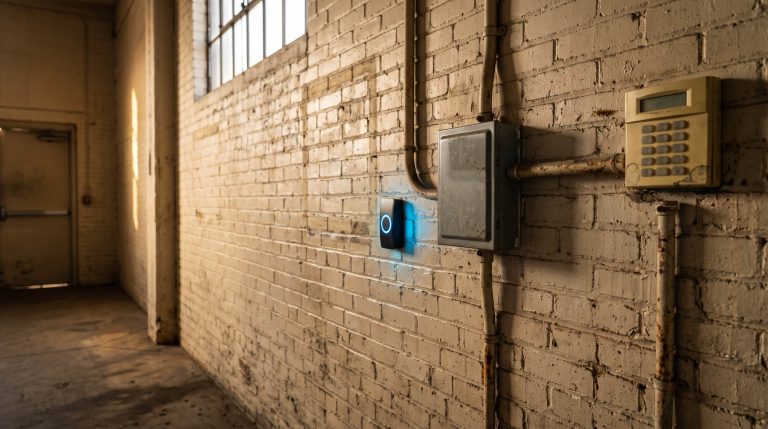
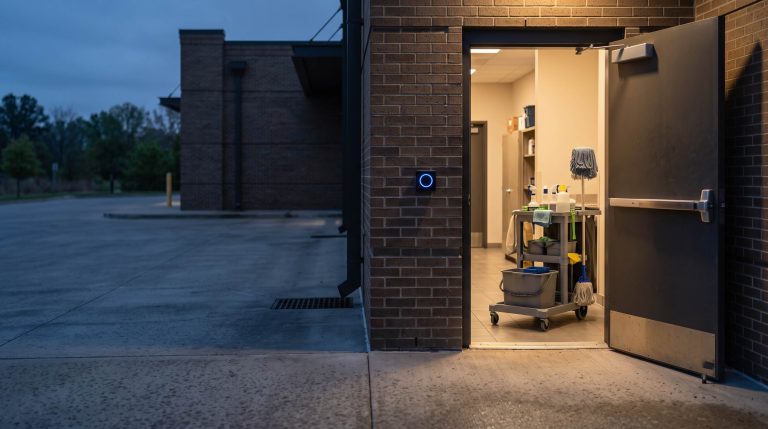
Picture an office that closes Wednesday afternoon for Thanksgiving. The staff leave, the lights go off, and the front entrance locks at six. At seven Thursday morning, the door follows its usual weekday schedule and unlocks again.
Nothing has broken. The door is doing what it was told to do.
Thanksgiving is Thursday, November 26, 2026. For an Atlanta property manager, business owner, or facilities team, early November is a good time to check what the building will do that morning. An access control holiday schedule is an exception to the ordinary weekly routine. It only helps when the right dates, doors, and access permissions are included.
The useful question is more specific than “Are the holidays loaded?” It is: Will this entrance stay locked to the public while the people who still need access can get in? Those are two separate decisions.
Start With the Doors That Open Themselves
Some doors stay locked from outside all day and open only when someone presents an authorized card or phone. Others unlock automatically during business hours so visitors can walk in. Start with that second group: the lobby, reception entrance, or other opening that follows a clock.
For each one, write down the hours it normally unlocks and who owns its schedule. In a leased building, the property manager may control the lobby while a tenant controls the suite. A change to one does not establish what happens at the other.
Then open the holiday settings for that specific door. Depending on the system, you may be looking for a holiday group, a special-day schedule, or an exception calendar. The labels vary. The job is to confirm both the date and the doors it affects.
One manufacturer's exception-calendar instructions require the administrator to add doors as well as dates. That is the detail to look for: a Thanksgiving entry on a screen is only part of the answer.
Friday Needs Its Own Answer
The 2026 federal holiday calendar lists Thanksgiving on November 26. It does not tell you whether your shipping department works Friday, whether a tenant opens Saturday, or whether the school has staff on campus during break. Use your actual operating plan.
For the rest of this season, settle these dates before anyone changes the system:
- Wednesday, November 11: Veterans Day, if your organization closes.
- Thursday and Friday, November 26–27: Thanksgiving and the day after. Decide each day separately.
- Thursday and Friday, December 24–25: Christmas Eve and Christmas Day. Record any early closing time.
- Thursday, December 31, and Friday, January 1, 2027: New Year's Eve and New Year's Day. Check across the year boundary.
A partial day deserves its own hours. If reception closes at noon on Christmas Eve, a full-day closure could keep morning visitors out; the normal Thursday schedule could leave the entrance open after everyone leaves. Where the system supports a dated exception, use it and confirm when the regular schedule resumes.
For a school, map the whole break and distinguish empty days from staff workdays. For a house of worship, put evening services and other gatherings on the same planning sheet as office closures. For a warehouse, decide whether the dock and office need different hours. One address can have more than one operating day.
A Locked Lobby Can Still Admit the Right People
Consider a hypothetical office building that closes its public lobby Friday after Thanksgiving. One tenant has employees working that morning, and a cleaning crew arrives that evening. The lobby should remain locked to walk-in visitors, while the approved people enter with their own credentials during the agreed hours.
That requires checking two things: the door's automatic unlock schedule and each group's permission to use it. Do not assume a holiday changes both in the same way. One platform's holiday documentation explicitly says access plans remain active unless paused. Another system may use different rules.
Start with names and responsibilities: who needs to enter, through which door, and during what hours? Then have the administrator translate those decisions into settings. Include deliveries, contractors, and people covering for an absent manager. Keep any temporary access limited to the agreed window.
This follows the same discipline as the employee-offboarding check: the system's permissions should match the people actually responsible for the building. A holiday adds the question of when those people need access.
Check the Alarm Plan Beside the Door Plan
An employee can have a valid badge and still walk into an armed building. Before the break, decide who can enter, who can disarm the appropriate area, and who will arm it again after the last person leaves. Those responsibilities need to agree.
Ask your security company to review any automatic arming or disarming schedules, any monitoring service that checks expected opening and closing times, and any camera-alert rules tied to business hours. Confirm who receives calls or notifications while the usual contact is away.
Sharing an app does not prove those rules share a holiday calendar. The platform documentation above, for example, distinguishes door automation from rules involving alarm panels. Our article on integrated security systems explains why coordination matters. For this check, ask which settings actually change together and which need a separate update.
Prove the Plan at One Entrance
Ask the administrator to show you what the front entrance is scheduled to do on November 26 and November 27. If the software offers a date-specific preview, use it. Otherwise, have your security company walk through the applicable settings with you.
Then arrange a short, supervised test of the intended behavior at a suitable time. Have an authorized person present, tell affected occupants, and coordinate any alarm testing with the security company. Keep required exit functions and fire-alarm interfaces intact.
The test should answer four practical questions:
- Does the closed door resist entry from outside without a credential?
- Can the person who is supposed to work that day enter using their own credential?
- Does the door close and secure again afterward?
- Does the event record show the expected activity, and is the normal reopening schedule still in place?
A scheduled lock command and a door that physically closes and secures are different things. Checking both makes the exercise useful. Record the door, test time, result, and person responsible for any correction. Repeat where the hardware, schedule, or access group differs.
Make Opening the Building Someone's Job
For entrances that normally unlock automatically, ask whether the system can wait for an authorized opener to arrive. This feature is often called first-card unlock or first person in. On supported systems, it can keep a scheduled public opening from happening before the designated person checks in.
The details matter. One manufacturer's first-person-in guidance ties it to specified time windows and supervisor credentials. Ask which doors it affects, who can trigger it, and what happens if that person is absent. Name a backup and test the arrangement before relying on it.
Start this week with one entrance and the two Thanksgiving dates. Write down the intended public hours, the people who need access, and who is responsible for the alarm. Once that works, carry the same check to the other doors and locations.
If you would like to discuss the access control system in your building, call Verified Security at 678-924-7480 or contact the team. Bring your closure dates and the list of people who still need to get in. That gives the conversation a useful place to start.
Current as of November 2, 2026.